With the “Bill escrow” feature, you can insert several bills one after another before finishing the purchase process.
 Step-by-step guide
Open the backstage menu on the machine.
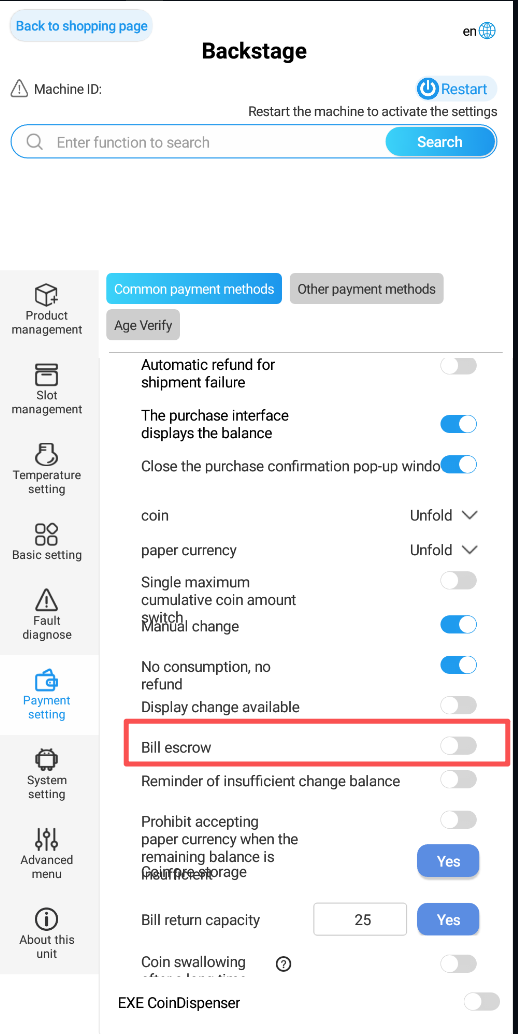
In the left menu, select “Payment setting”.
Switch to the “Common payment methods” tab.
Scroll down to the option “Bill escrow”.
Turn off the feature by setting the switch to off.
Restart the machine so the change will be applied.
 Result
After the restart, the machine can take several banknotes in a row before the purchase is completed.
