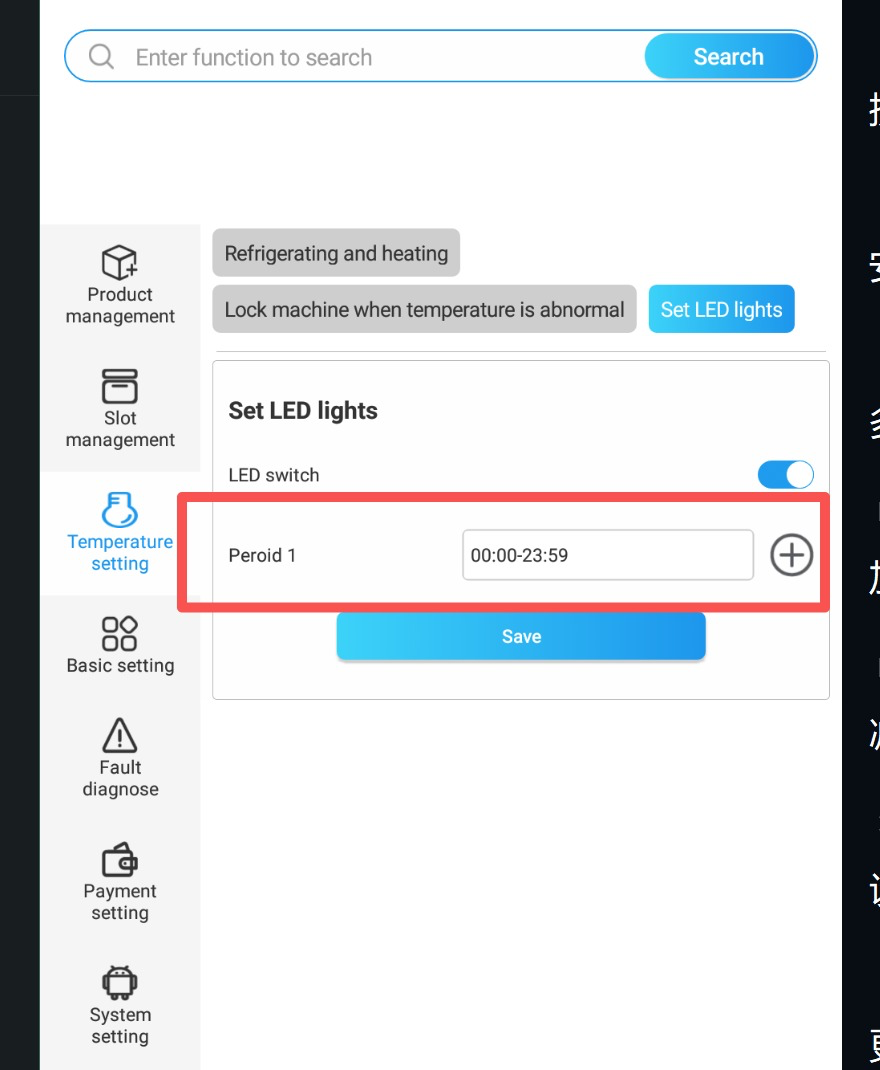
If your machine's LED strip isn't lighting up, it's often because no time or the wrong time is set. With the right setting, the LED lighting stays on 24 hours.
Go to the menu:
On the screen on the left, select the menu item “Temperature setting”.
Open LED control:
Click on “Set LED lights”.
Activate LED switch:
Make sure the LED switch at the top right is set to ON.
Set time period:
Under “Period 1” enter 00:00–23:59.
This way, the lighting stays on all day.
Save:
Press “Save” to apply the setting.
After saving, your LED strip should stay on continuously.