Make sure the Locker Machine is properly connected to the vending machine.
Check if the power supply (if external) is connected and working.
Check the plug connection between mainboard and locker control board.
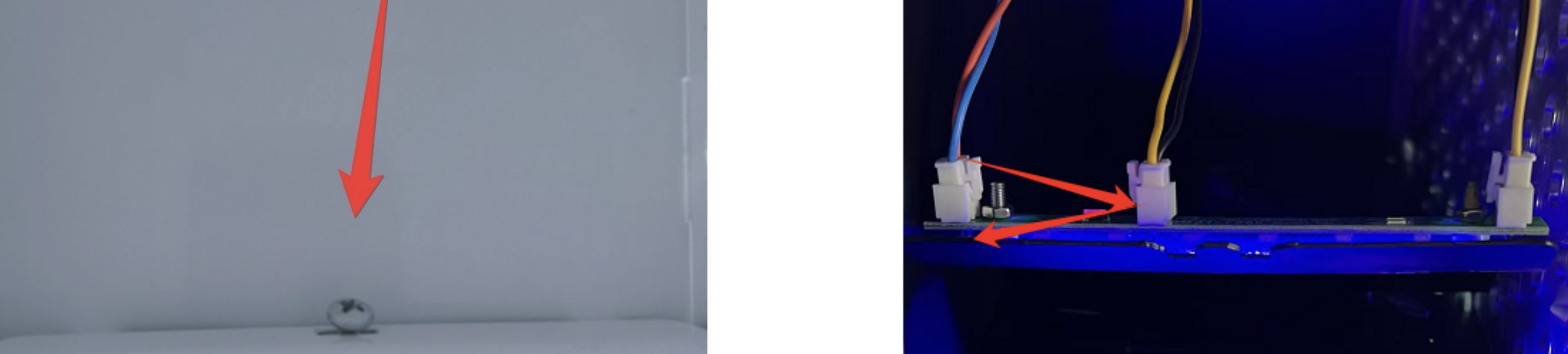
Unplug all connectors (especially the LED connector) once and plug them back in firmly. See image 1 → Top of a compartment. To the video
Make sure no cable is pinched or damaged.
Log in to the backend of the vending machine.
Go to Advanced Menu → Location Settings.
Make sure the locker units are registered correctly and active.
If there are several lockers: Check if the LEDs are lighting up in other modules.
If needed, swap the LED connection from a working compartment to the one that's not lighting up to test if the problem is the LED module itself.
If after all the steps the LED still isn't lighting up, the LED module or the controller board might be faulty.
In this case, contact the manufacturer or your service partner for spare parts.
