Log in to the backend of the machine.
Default password: 888888
Go to the menu Advanced Menu → Location Settings.
Select the desired Schub (Row).
Example: 1rows stands for the top row.
Each row has a height value (e.g. 9220). This value determines how high the lift goes.
On the left, you can use “Up” and “Down” to set a new height.
With “Set up” you confirm the setting.
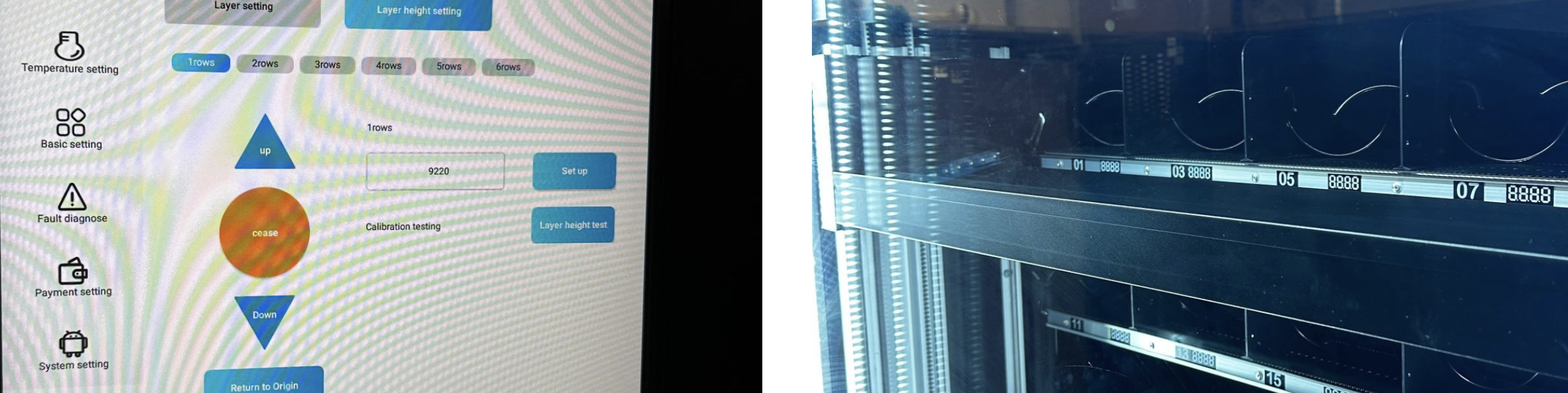
Row 1 (topmost push) → Height 9220
The lift correctly goes up to the output.
Row 1 changed to 8438
The lift stops too early and no longer reaches the output.
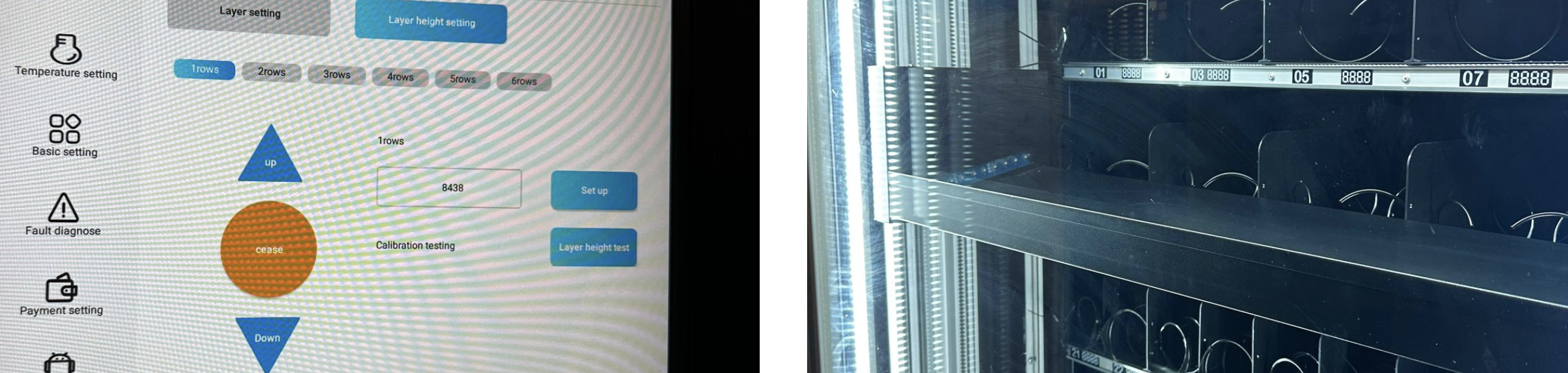
With “Layer height test” you can check the current setting.
Make sure the lift fully reaches the product output.
 Tip:
Tip:
Set the height so the lift stops exactly at the output position – not too high and not too low. After each adjustment you should run the test.
