Log into the backend of the machine.
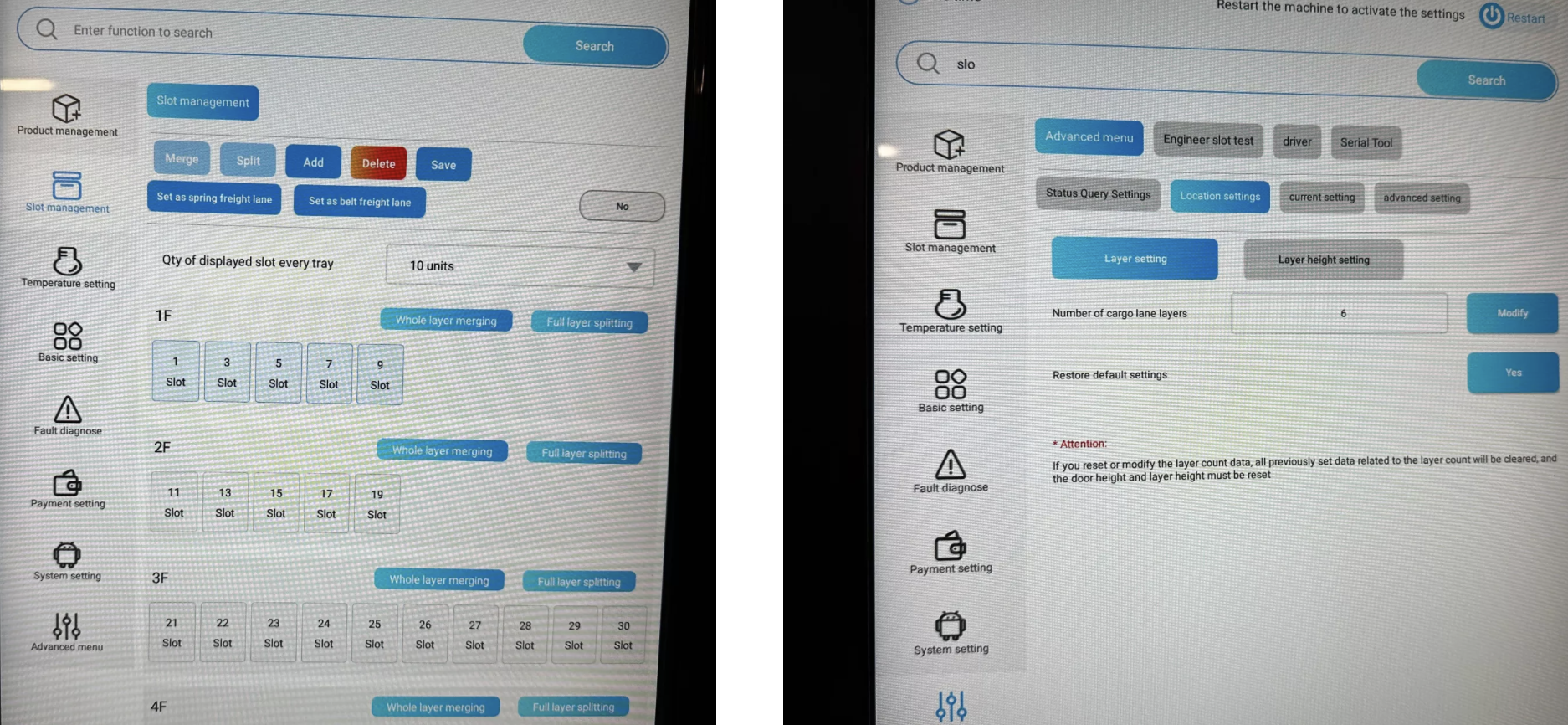
Open the Slot Management menu.
Choose the desired layer/slot.
Example: Select Layer 1F (top tray → slots 1–9).
At the top, click “Set as belt fraight lane” to change this tray to conveyor belt/side pusher.
Go to the Advanced Menu.
Go to Location Settings.
Make sure the correct number of layers (slots) is entered.
Example: If your machine has 6 layers, the value 6 has to be entered here.
 Note:
Note:
This adjustment is necessary so the machine knows which dispensing technique to use for each slot. Wrong settings can cause products not to be dispensed properly.
