Open the machine's door.
Enter password (Default: 888888).
You're now in the backend menu.
 Then:
Then:
Tap on System Setting (Finger 1)
Tap on Android Settings Menu (Finger 2)
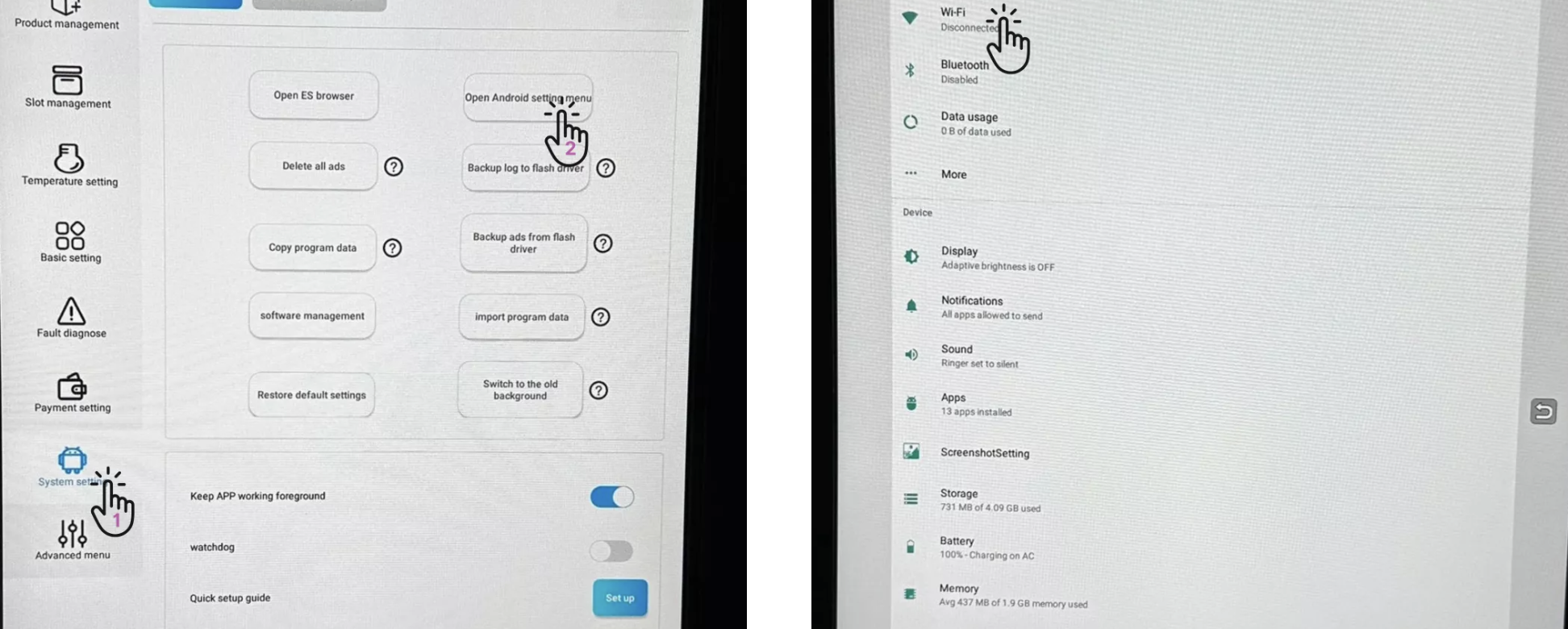
In the menu, select Wi-Fi (just like on a smartphone).
A list with all available networks appears.
Select your desired WiFi network.
Enter the WiFi password.
The machine now connects automatically.
 Done – your machine is now connected to WiFi.
