Sign in
Open the vending machine door
Enter admin password
Go to menu
Go to Item & Slot
Click on Set Drive Board
Start Slot Merge
Confirm with Enter
Go to Set Slot → Merge to double
Merge slots
Enter via the keypad:
Enter 1 = Slot 1 and Slot 2 are merged
Enter 5 = Slot 5 and Slot 6 are merged
Save changes
Confirm with Enter
Slots are now merged

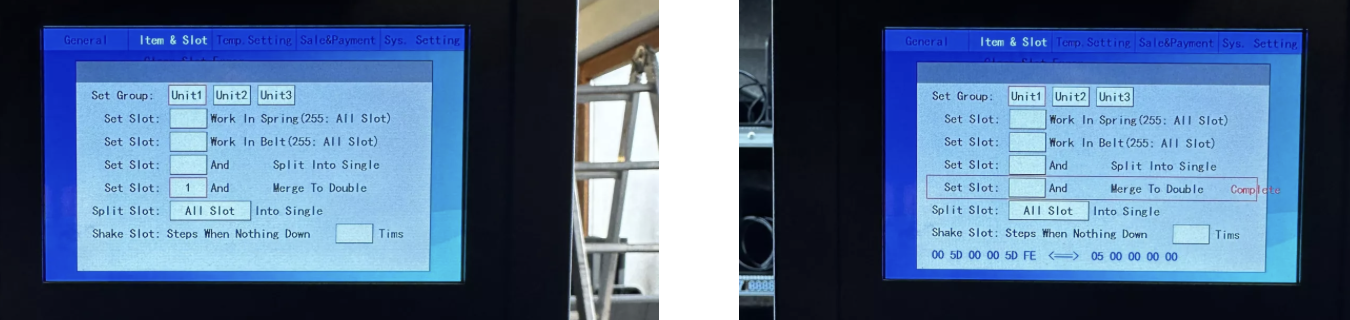
The steps are almost identical, but depending on the machine model, the step Set Drive Board might not be available.
In this case, just go straight to Set Slot → Merge to double and do the merge. Watch the video
 Example: If you merge slot 1 and 2, only one slot will show up in the backend, covering double width.
