Open the machine door → Enter password (default: 000000)
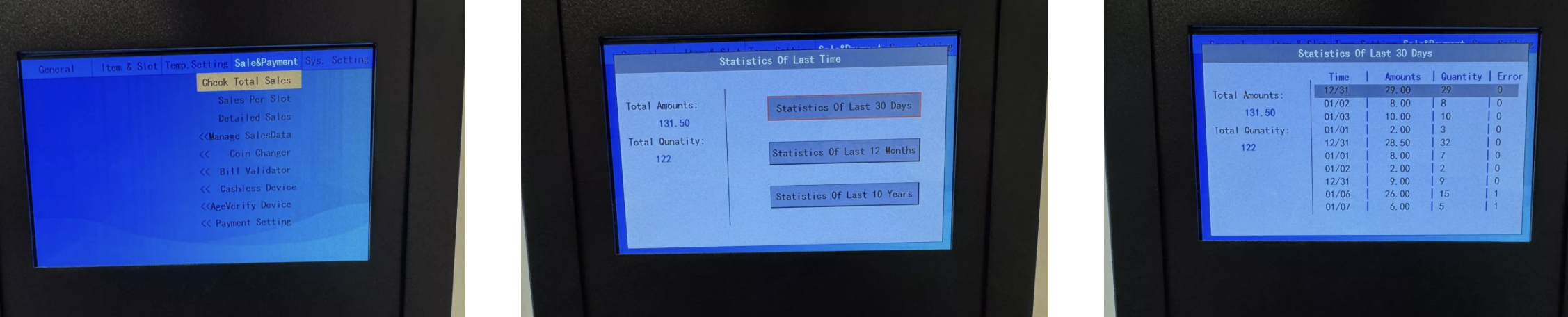
In the menu, switch to Total Sales
Left: Total number of sales & revenue (e.g. 122 sales = €131.50)
Right: Choose between 30 days, 12 months or 10 years
Display of sales and revenue for the past 30 days
Note: On demo devices, the numbers are not representative
Go to Sales per Slot
Here you see which products sell best
Helps with assortment planning and product optimization

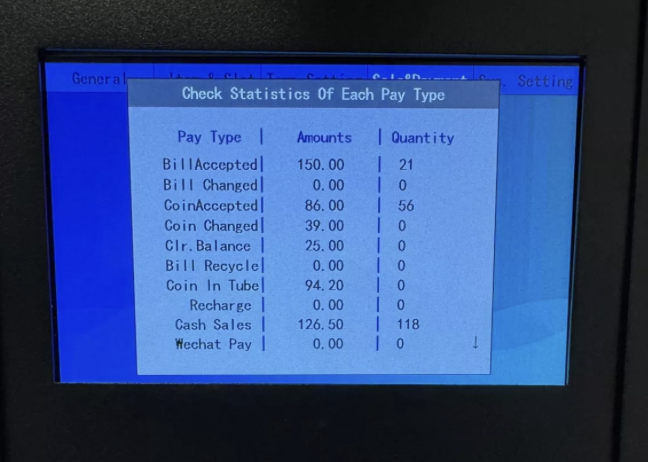
Go to Detailed Sales
Show sales by payment methods (e.g. cash, card, mobile payment)
This way you spot which payment option your customers prefer
 With these evaluations, you can make informed decisions about pricing, assortment, and payment options.
