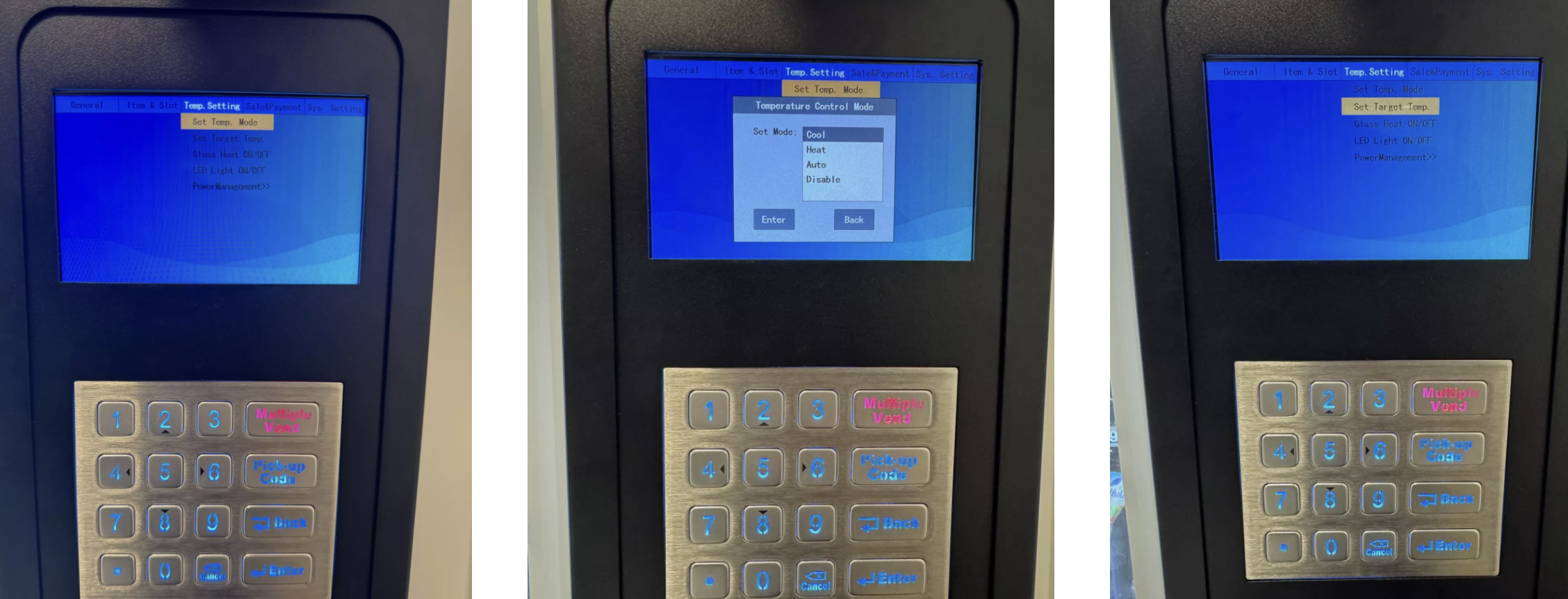
Switch to the “Set Temp. Mode” menu
Open the machine door → password input field appears
Default password: 000000 (make sure to change this after the first setup!)
Log in and open the menu item Set Temp. Mode
Select cooling mode
Cool → activate cooling
Disable → deactivate cooling
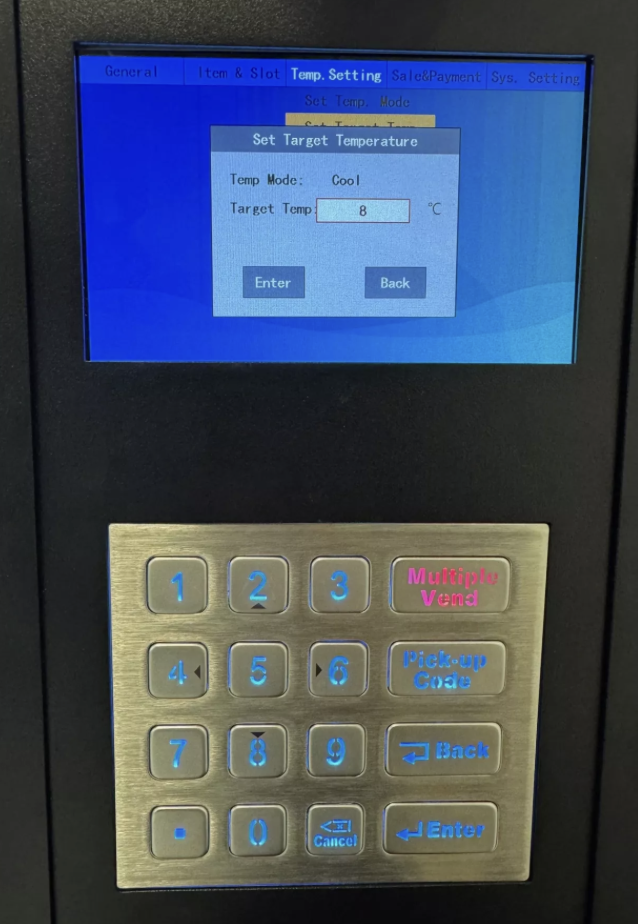
Set target temperature
Select menu item Set Target Temp
Enter the desired temperature using the keypad
Confirm with Enter
Check settings
Make sure that in the menu Temp Mode “Disable” is not selected
Cooling works reliably only with active Cool mode
 With these steps, you can make sure your products in the vending machine are always stored at the right temperature.
