Log in at the machine
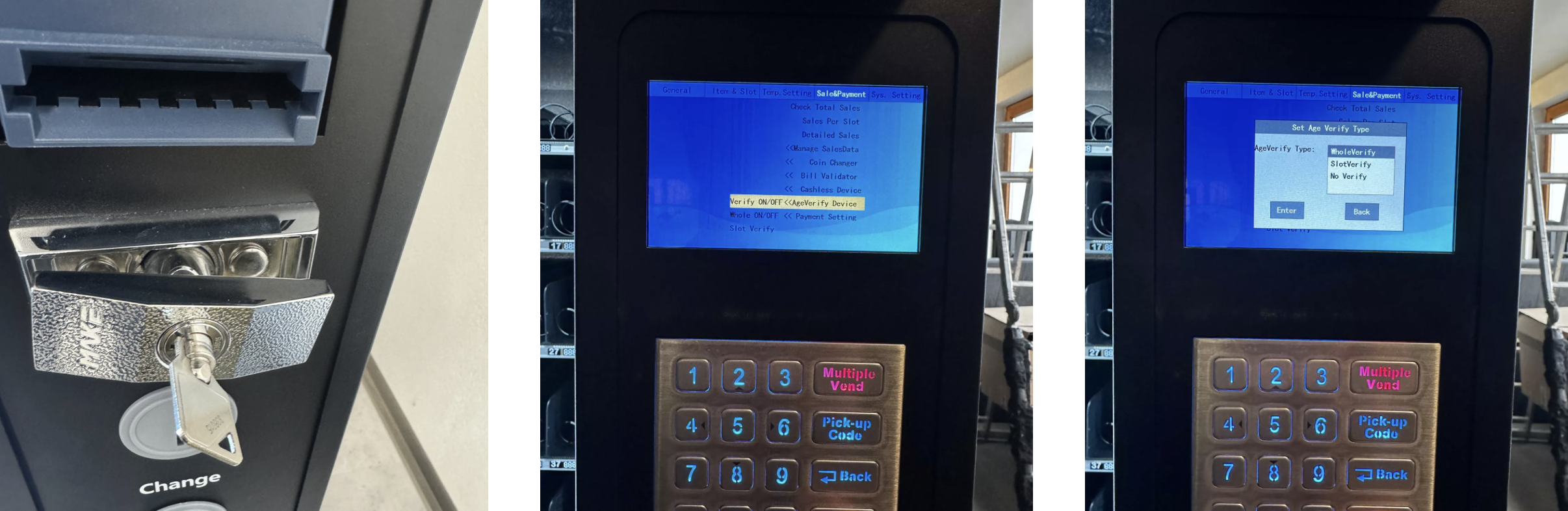
Open the door
Enter admin password
You're now in the backend of your machine
Switch to the menu
Choose the Sale & Payment
Select age verification
Whole Verify = Age check for all slots
Slot Verify = Age check only for selected slots
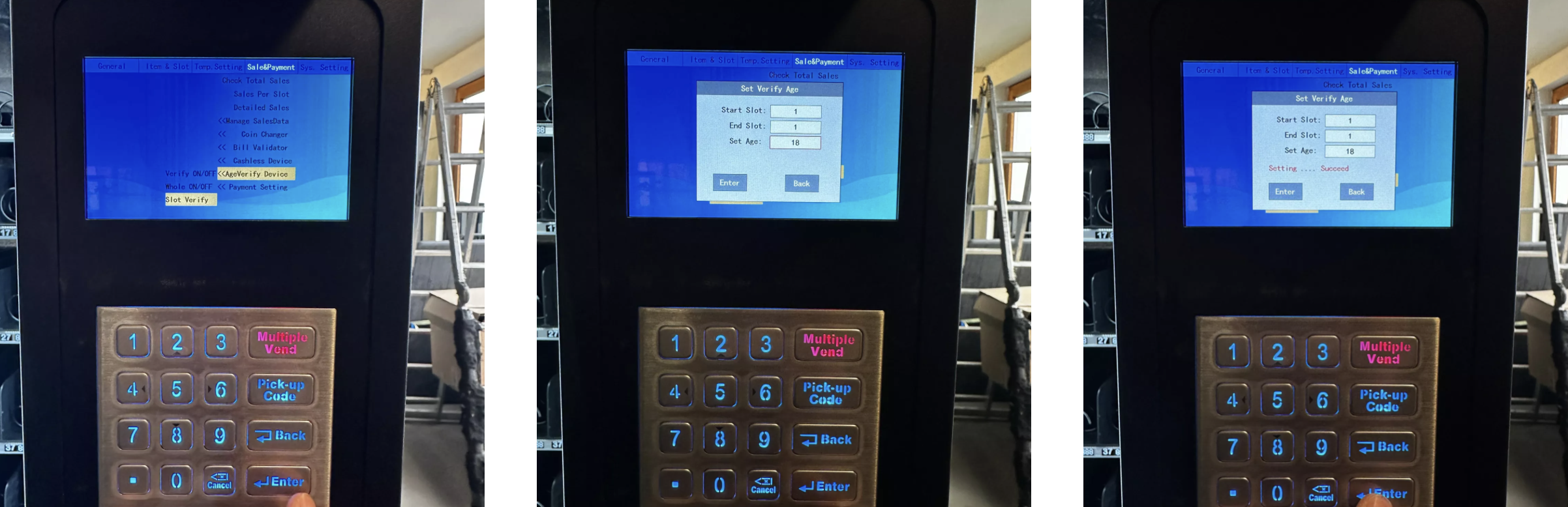
Configure Slot Verify
In the menu, choose the option Slot Verify
Here, you can set exactly which slots the age check should apply to
Set slot range
Example:
Start Slot = 1
End Slot = 10
→ Age verification is now activated for all slots from 1 to 10
In the sample picture only slot 1 is enabled for age verification
Save changes
Confirm your entries with Save/Enter
Done – age verification is now active
 With this feature you can set up youth protection specifically for each slot or for the whole machine.
