
1. Enter developer password
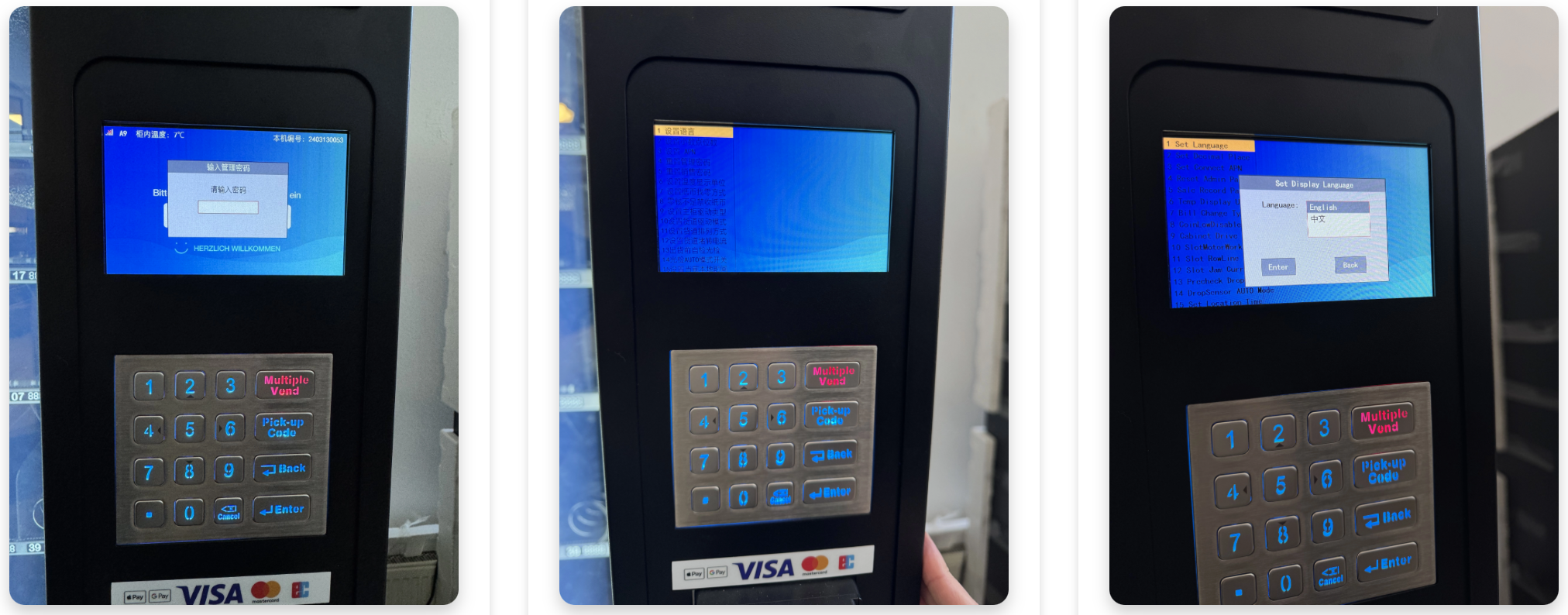
Open the menu and enter 80515 (instead of your admin password).
That takes you to the developer menu.
2. Open developer menu
The menu appears in Chinese.
You can find the language setting right below the first menu item (see sample image).
3. Change language
Use the keypad to select English.
Confirm your selection with Enter.
The language of your machine is now set to English.
Note for 22" machines
With the 22-inch TCN machines you can change the language just like on an Android smartphone:
Just go to the language settings in ES Browser / menu
Pick the language you want and move it to the top
Apply with Confirm