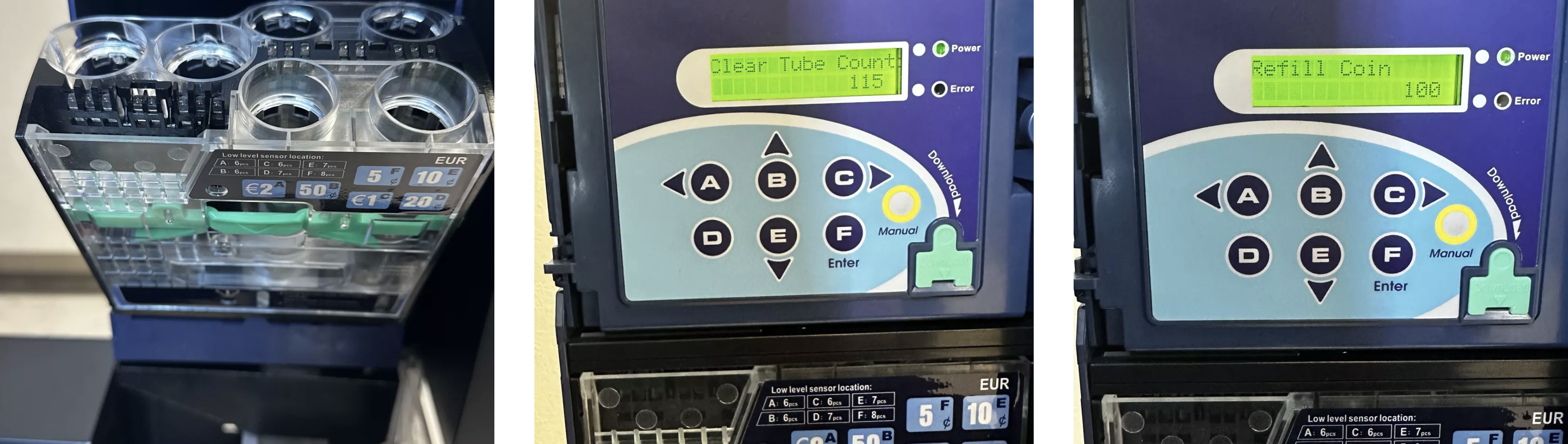
When the machine is open, the coin changer display often shows “Communication error”. That's normal. Just press the door switch to clear the message.
After opening the machine, the display shows an overview of the coin inventory:
The numbers show the quantity per coin type.
The position of the number shows which coin it is:
Position | Coin |
A | 2 € |
B | 50 Cent |
C | 1 € |
D | 20 Cent |
E | 10 Cent |
F | 5 Cent |
Example: If number 1 is in position “C” → this means: 1x 1 € coin in the coin changer.
If coins fall through or go straight into the return slot, the coin changer needs to be calibrated.
Open coin changer module
Push the green clip down on the left.
Press the metal sheet down.
Carefully fold the module forward.
Find switch bar (backside)
Light blue DIP switches are visible.
Flip switch 7
Only move switch No. 7 to the opposite position.
Close the module again and snap it in place.
Restart
Turn the machine off, then back on.
Then insert 3 coins of each type (will calibrate).
Set switch 7 back
Open the module again.
Move switch 7 back to its original position (all switches aligned).
Restart & Test
Restart the machine again and check if everything works.
 The coin changer is now newly calibrated and ready to use.
Check coin changer start screen
After opening, the display shows the coin stock:
Position | Coin |
A | 2 € |
B | 50 Cent |
C | 1 € |
D | 20 Cent |
E | 10 Cent |
F | 5 Cent |
Example: If the number 1 is at position “C” → that means: 1x 1 €-coin in the coin changer.
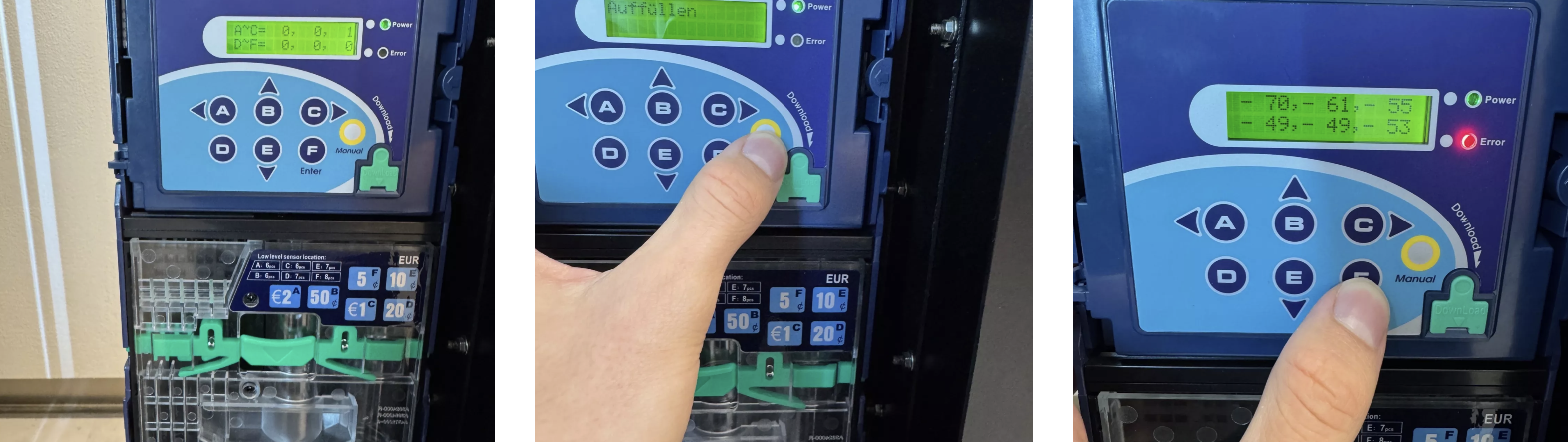
Press the yellow button
→ Display shows “Refill”.
Press Enter
→ 6 two-digit numbers appear (for each coin type).
Insert at least 20 coins per type:
Coin | Minimum quantity |
5 cents | 20 pieces |
10 cents | 20 pieces |
20 cents | 20 pieces |
50 cents | 20 pieces |
1 € | 20 pieces |
2 € | 20 pieces |
 Each coin you insert decreases the displayed value by 1. Example: If the display shows “53” at 5 cents, you need to insert coins until it reads “33”.
Remove coin box
Press the green lever down.
Pull out the box, turn it over and empty it.
Clear Tube Count
Put the box back in.
Press the yellow button → display shows “Clear Tube Count”.
Confirm with Enter (F) (“Are you sure”).
Refill coin changer
Repeat the loading as described above.