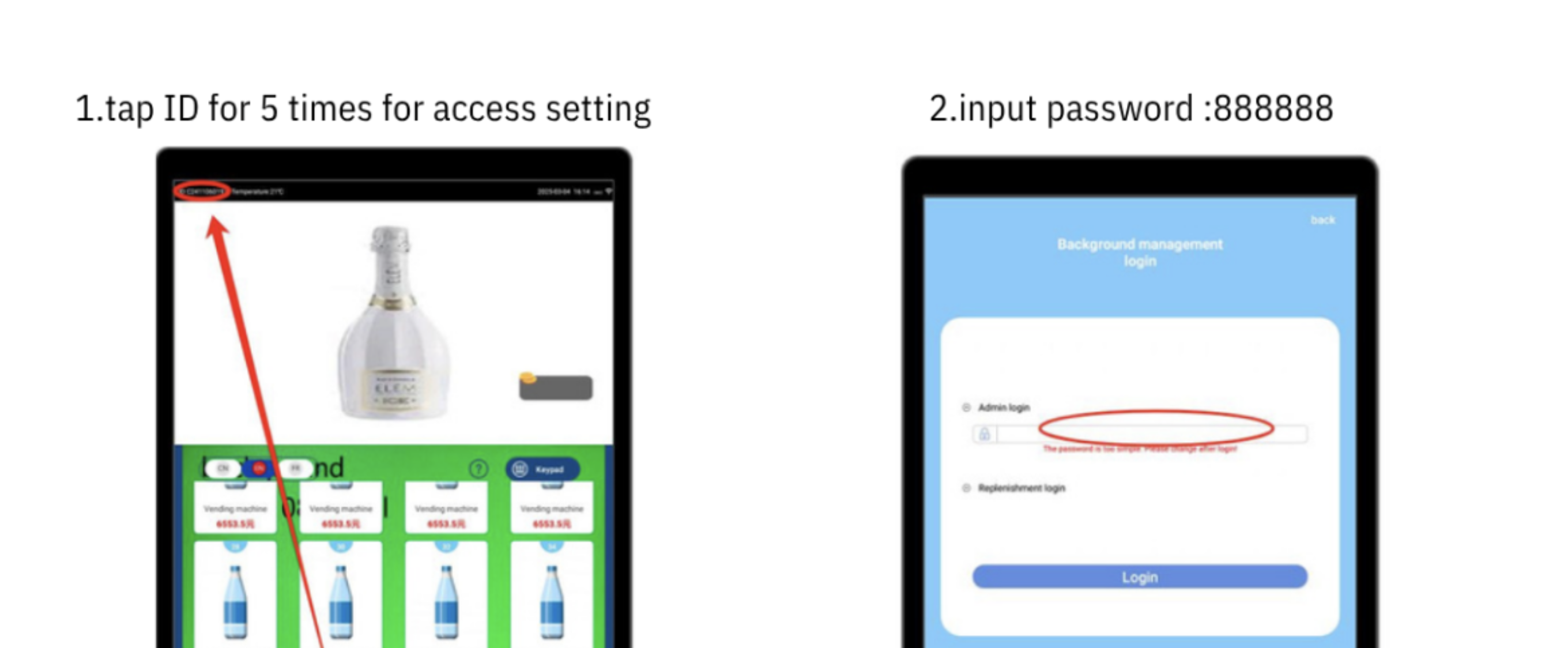
Tap the ID 5x on the display (top left).
A login window will appear.
Enter the password 888888 and confirm with Login.
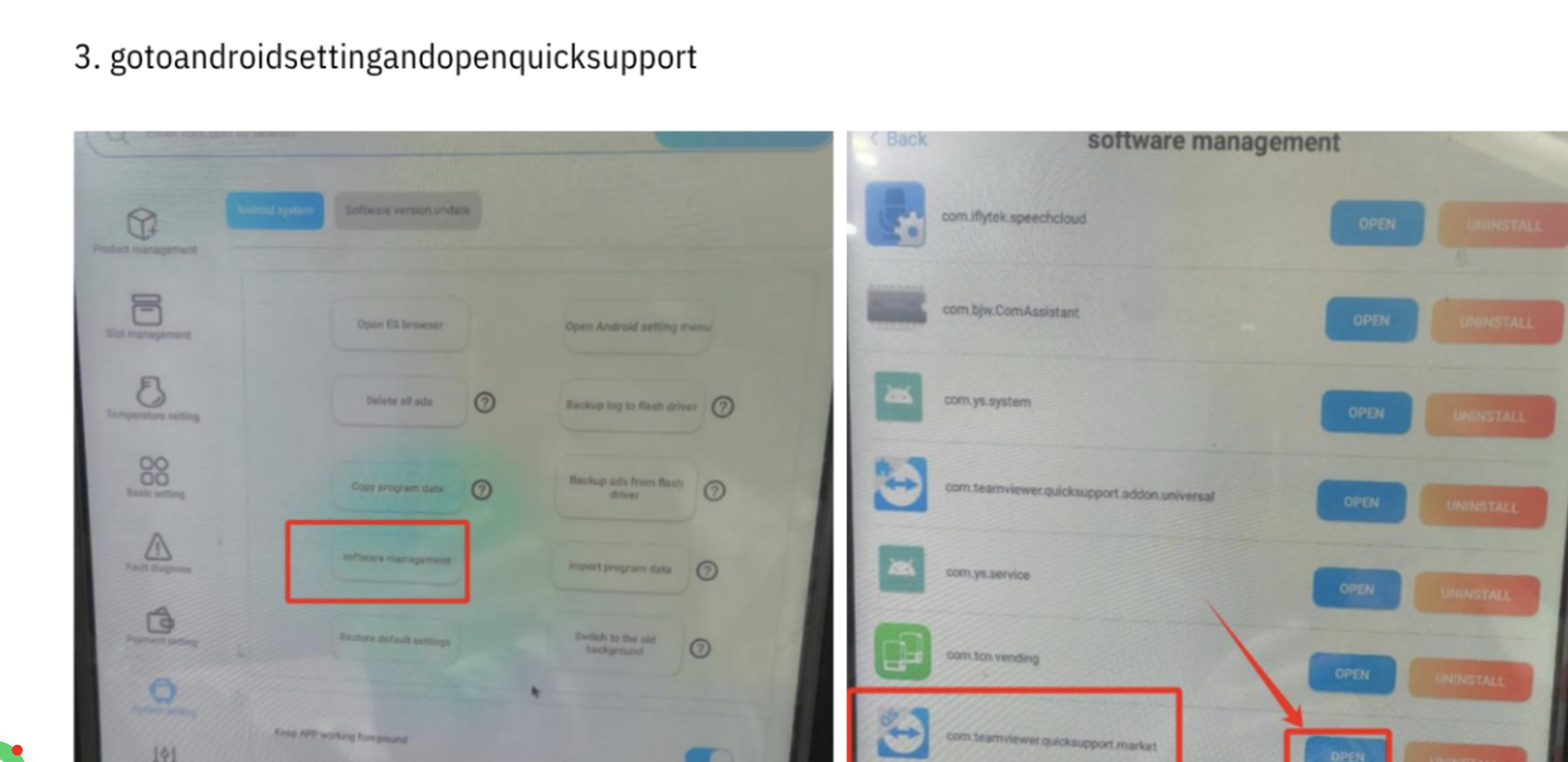
Go to the menu:
Android system → software management
Look for com.teamviewer.quicksupport.market and click on Open.
The TeamViewer window opens automatically.
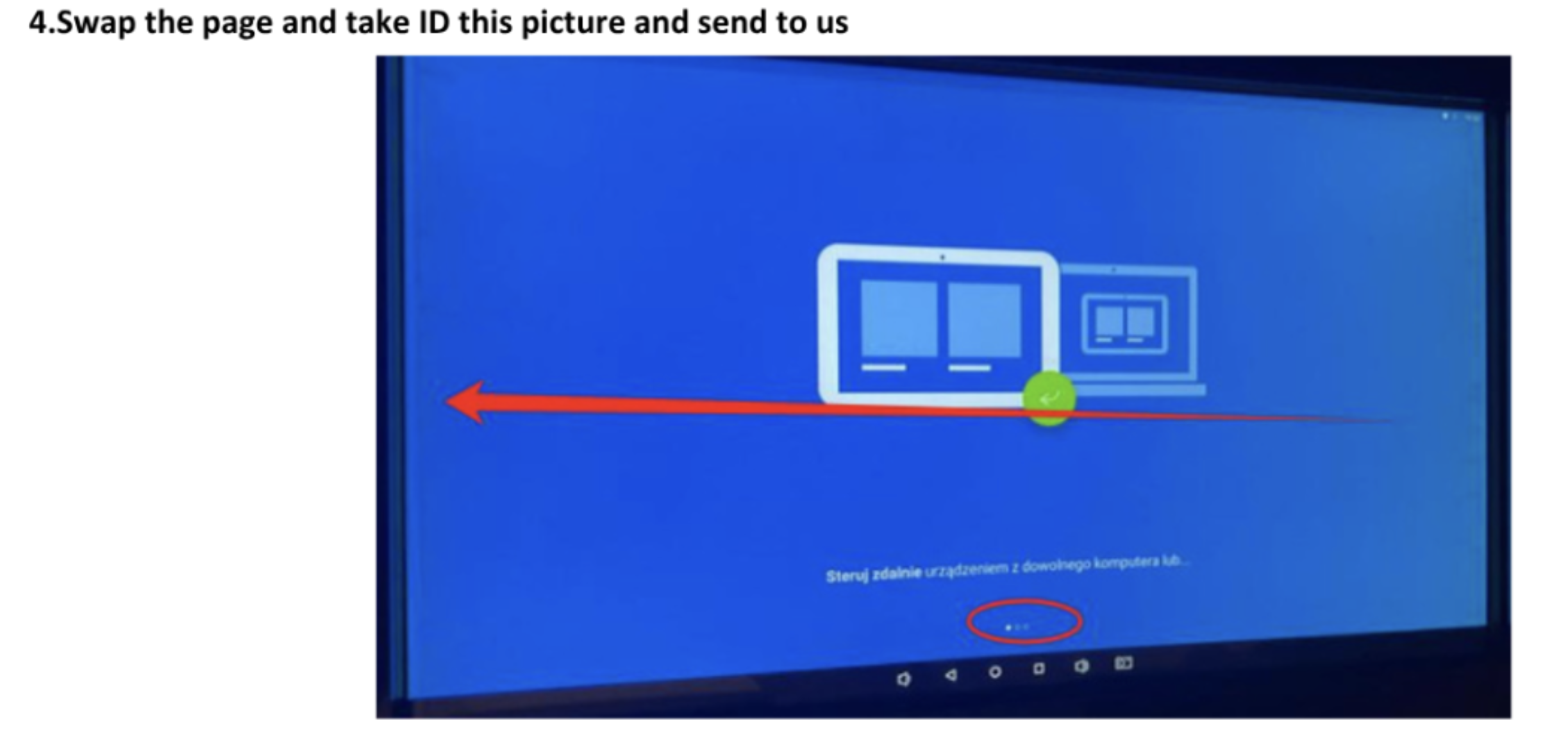
Swipe the page to the left until the TeamViewer ID shows up.
Take a photo or screenshot of it and send us the ID.

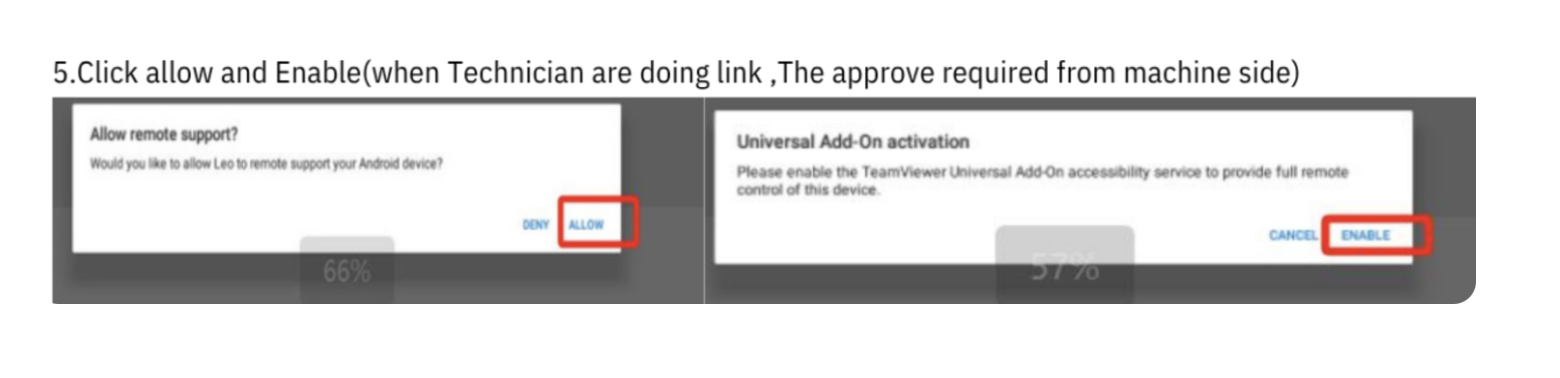
When our technician connects:
Click Allow (Zulassen).
Then confirm with Enable (Aktivieren).
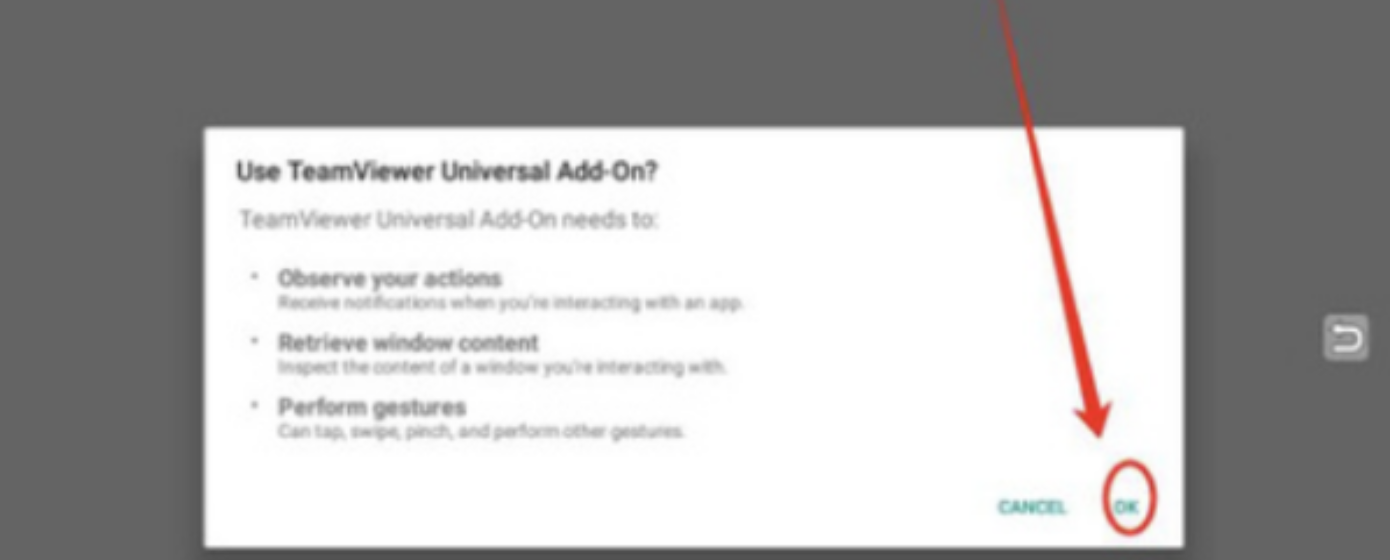
If more prompts show up:
Set the first point to ON.
Then click the Return Button.